CONTEXT
Long tasks. Room to keep going.
Our context management summarizes completed steps as the conversation grows, keeping the goal, key decisions, and current work ready for the next request.
Original conversation and checkpoints preserved.An IDE built around the conversation. Bring your models, work in your codebase, and keep every action in view.
YOUR MODELS. YOUR CHOICE.
Connect cloud or local OpenAI-compatible APIs. Choose your models and give each one a role.
INTERRA / THE FILM
From your first prompt to code that works. Meet Interra in two minutes.
Explore the workspace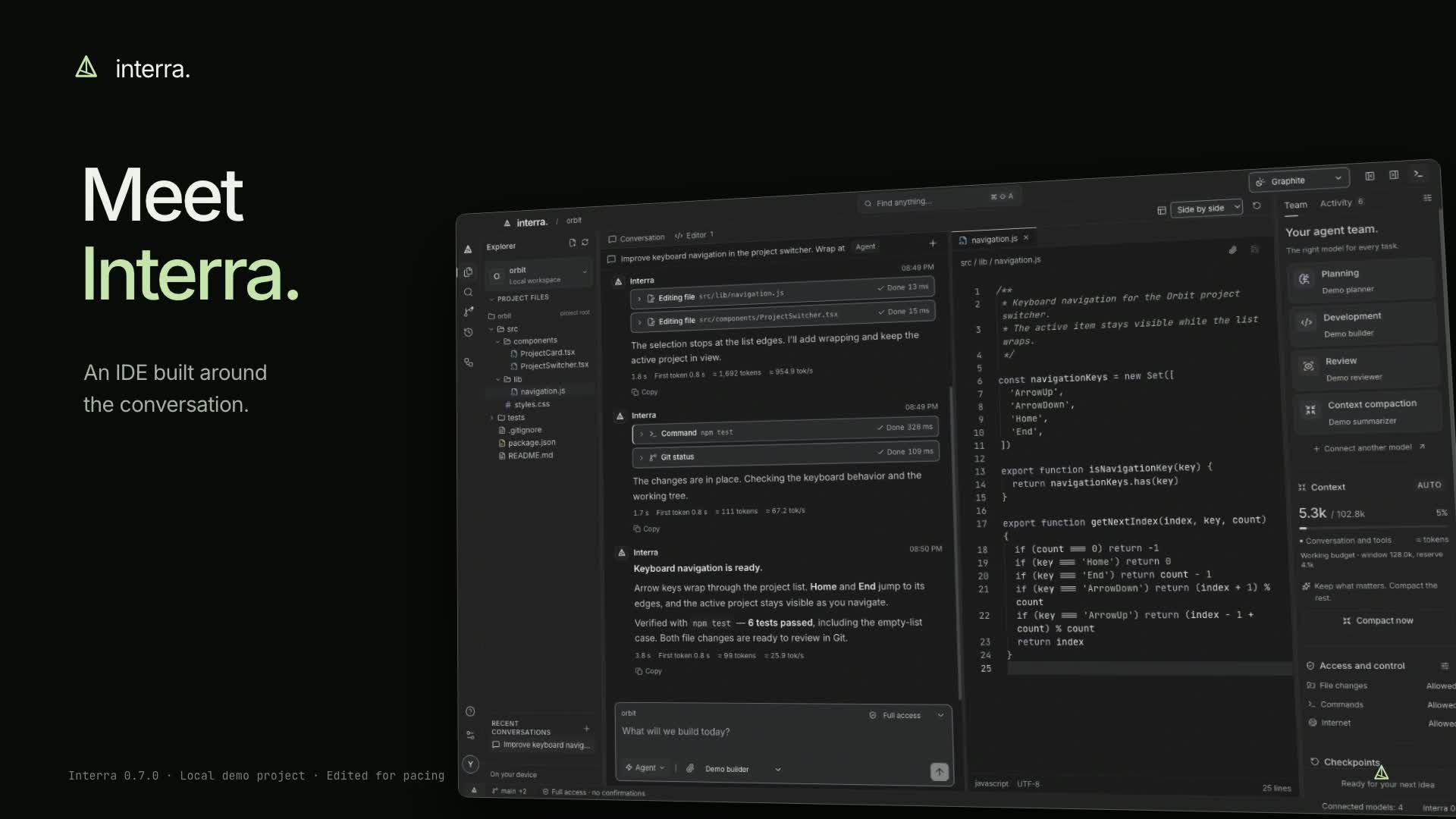
01 / MADE FOR THE WORK
Conversation, code, Git, and a terminal in one IDE. Move from an idea to an edit, a test, and the next commit without switching tools.
File reads, edits, commands, and results have their own place in the conversation. Queue your next thought, or interrupt when the direction changes.
RECOMMENDED / INTERRA AGENT
With Interra Agent, our built-in coding agent. Automatic model selection, context management, and project tools — ready when you are.
02 / INTELLIGENCE, COORDINATED
Let Interra coordinate planning, development, review, and context. Use our built-in agent or connect your own models and assign the right one to each role.
Move from the plan to real edits. Interra reads files, writes code, and runs project commands with your chosen access level.
A shared project, coordinated roles, and a visible sequence of actions. You stay in control.
Our context management summarizes completed steps as the conversation grows, keeping the goal, key decisions, and current work ready for the next request.
Original conversation and checkpoints preserved.Review file changes and commands before they run, or enable full access for a trusted project. You can stop the agent whenever you need to.
You approve file changes and commands.
THE SMALL THINGS, CONSIDERED.
16 appearance options, compact spacing, and a layout that moves with you.
System language detection and instant switching in the app. Your conversations stay as you wrote them.
Keep decisions and conventions between conversations. Notes are stored on your device outside Git. Browse, edit, delete, or pause memory in the IDE.
03 / GOOD TO KNOW
Interra is a desktop IDE built around the conversation. It brings a code editor, file explorer, Git, terminal, project memory, and agent tools into one workspace. Work directly in your codebase, with the models and level of autonomy you choose.
Interra Agent is our recommended way to use the IDE: automatic model selection, context management, and project tools with one account. You can also connect your own API provider.
Yes. Model settings support cloud and local OpenAI-compatible APIs, including OpenAI, OpenRouter, Ollama, and LM Studio. You can search the provider catalog and assign model roles. Agent mode requires tool calling.
Use an Interra account for the built-in Interra Agent, trial credit, balance, and usage history. Sign in with a one-time email code; no password is needed. Your own API or a local provider remains available without an Interra account, with charges handled by that provider.
Save useful facts, project conventions, and accepted decisions between conversations. Notes are stored locally outside the Git repository. When memory is enabled, a limited amount of note content is added automatically to requests to your selected model. You can view, edit, delete notes, or disable memory in the IDE. Keep passwords and API keys out of memory. Deleting a note stops its inclusion in future requests; earlier conversations may still contain it.
Conversations, settings, checkpoints, and project memory are stored on your device. Requests include conversation and code context, plus memory notes when enabled. Interra Agent processes that context through Interra and its AI provider; custom connections send it to your selected provider. Account usage history stores token counts and charges, not prompts or source code.
New accounts receive 50 Coins after email verification. After you send a task, a fast model selects the model for the work. This preparation is included in the request cost and shown in your usage history. Further steps in the same task reuse that decision. Typing a draft makes no model calls. Self-service top-ups are not available yet.
Interra supports Apple silicon Macs running macOS 13 or later and x64 PCs running Windows 10 or 11. Linux and Intel Mac builds are not available yet.
Interra is a developer preview with working agent tools, editing, Git, a terminal, and context management. An extension marketplace, integrated debugger, collaboration, and language-server support for every language are still to come.
MAKE ROOM FOR YOUR NEXT IDEA
Download Interra and open your project. Your editor, terminal, Git, and agents are ready to work together.
Your Interra Agent accountLinux and Intel Mac builds are coming later.
Developer preview · Packages are not code-signed yet; the operating system may show a publisher warning.
e52a68ee1593c97a835fad322e5b0111bb5c850fec7f9b14a4aae4b5dc837933f91c7f76c353813ae65c38453243dc0f9b856bb25a0cdb1e6392ee9e855c889a